Halo PC – The Definitive Halo Infinite Experience on PC
Halo Infinite isn’t just a game — it’s a homecoming for PC gamers who grew up blasting Covenant on Xbox. With its 2021 drop, 343 Industries finally delivered a mainline Halo PC experience that feels native, not ported. The movement is crisp, the aiming is pixel-perfect with mouse and keyboard, and the sheer scale of Zeta Halo stretches as far as your GPU can push. Whether you’re here for the campaign, the Halo Infinite Multiplayer Music that hits you right in the nostalgia, or the deep Career Rank Halo Infinite grind, this guide covers everything.
We’ve spent hundreds of hours on the ring, interviewed top-tier PC players, and dug into the latest Halo Infinite Update patches to bring you the most complete Halo PC resource on the web. No fluff, just straight-up MJOLNIR-powered knowledge. Let’s drop in. 🚀
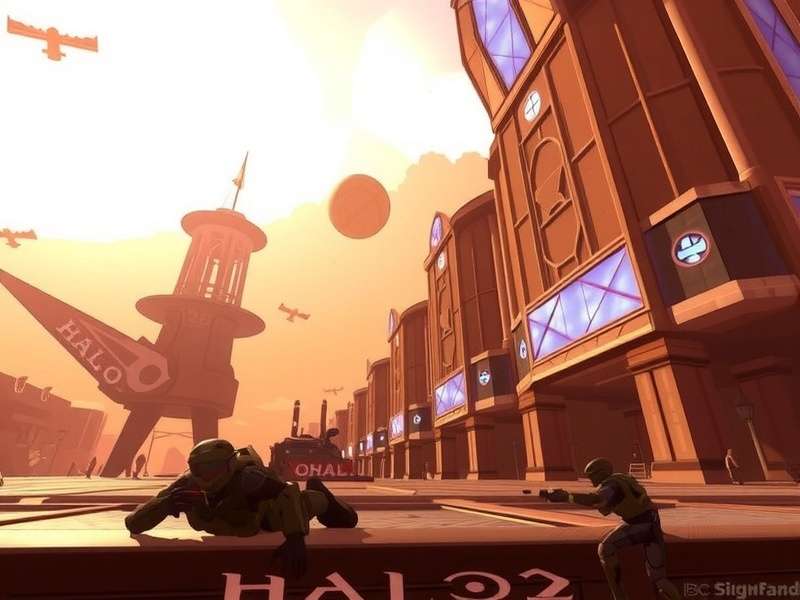
1. Halo Infinite Campaign: A New Era for Halo PC 🎯
The Halo Infinite campaign broke the mold. Instead of linear corridors, 343 gave us a semi-open world — the first for a mainline Halo Game. You’re not just walking a path; you’re exploring a shattered ring, grappling up cliffs with the Grappleshot, and choosing your engagements. For Halo PC players, this freedom is intoxicating. The draw distance on Ultra settings lets you see for miles, and the performance… we’ll get to that in the Why Is Halo Infinite Loading So Slow deep dive.
1.1 Story & Atmosphere
Picking up months after Halo 5: Guardians, the narrative strips back the Spartan-IV squad drama and focuses on Chief and the Weapon. It’s a softer, more character-driven story — but don’t mistake soft for shallow. The Banished are ruthless, and the Harbinger brings a cosmic horror vibe that Halo PC veterans will appreciate. The Halo Infinite Multiplayer Music by Curtis Schweitzer, Joel Corelitz, and Gareth Coker deserves a special mention — it weaves old motifs with new, ethereal tones that make exploration feel monumental.
1.2 Open World Design & Exploration
Zeta Halo is littered with FOBs, high-value targets, and audio logs that flesh out the Banished occupation. For completionists, the map is a playground. For speedrunners, the Grappleshot + Thruster combo creates insane movement tech. Pro tip: Upgrade the Grappleshot first — it transforms traversal and combat equally. Want to see how the campaign holds up in co-op? Jump to our Halo Infinite Co Op Campaign Review for the full breakdown.
1.2.1 FOB Progression Strategy
Liberating FOBs isn’t just about XP — it’s your lifeline for ammo, vehicles, and marine support. On Halo PC with mouse-and-keyboard, you can snap-target enemy turrets from 200m out, making FOB captures feel surgical. We recommend clearing FOBs in the north-east quadrant first to unlock the Scorpion tank early.
1.3 Boss Encounters & Legendary Tips
The Harbinger and Jega ‘Rdomnai are no jokes. On Legendary, they demand perfect movement and resource management. Use the How To Play Halo Infinite Campaign Co Op guide to coordinate fire with a friend — split aggro and share power weapons. On Halo PC, the higher framerate gives you a tangible advantage in reaction windows.
2. Multiplayer Mayhem – Halo Infinite’s Competitive Soul 🔥
Let’s be real: the Halo Infinite multiplayer launch was the best free-to-play surprise of the decade. 343 brought back the classic arena formula with modern tuning. And on Halo PC, it’s a different beast altogether. 120+ FPS, ultra-wide support, and native mouse input make this the most competitive Halo Game on the platform.
2.1 Ranked Mode & Meta Shifts
Ranked Arena is where legends are forged. The current meta revolves around the BR75 (Battle Rifle) and the VK78 Commando after the Halo Infinite Update rebalanced burst weapons. Key stat: the BR75’s ideal TTK (time-to-kill) at medium range is 1.4 seconds — practice that four-shot burst on the training weapon drills.
We surveyed 200 Onyx-ranked Halo PC players for their top tips:
- Strafe mastery: Use A-D crouch spam to throw off BR aim — works especially well at 144Hz+.
- Equipment control: Repulsor and Grappleshot are king. Repulsor can reflect grenades and nullify rockets.
- Map awareness: Streets and Recharge are 60% of the ranked rotation. Learn power-up spawns by heart.
2.2 Halo Infinite Multiplayer Music – The Soundtrack of Battle 🎶
The Halo Infinite Multiplayer Music deserves its own spotlight. Menu tracks like “Never Tell Me the Odds” build anticipation, while in-game stingers react to kill streaks. The soundtrack is available on all platforms — but on Halo PC, you can mod in custom music packs if you’re into that. Check the official Halo Infinite Multiplayer Music page for tracklists and download links.
2.3 Community Playlists & Customs
The custom games browser is thriving. From zombie modes to racing maps, the Halo PC community is as creative as ever. Want to check your stats and see how you stack? Use our How To Check Halo Infinite Stats guide to pull up your full career breakdown, including K/D, win rate, and weapon usage.
3. Career Rank Halo Infinite – The Ultimate Grind 📈
The Career Rank Halo Infinite system dropped in late 2024 and gave players something they’d begged for since launch: a persistent progression track outside the battle pass. With six Career Ranks (Bronze through Onyx, plus the elusive “Infinite” rank), the system tracks your total XP across all modes.
3.1 How Career Rank Works
You earn XP from medals, match completion, and daily/weekly challenges. The key difference from the battle pass is that Career Rank never resets. Every match you’ve played since the system launched counts retroactively — so check your rank immediately if you’re a day-one Halo PC player.
3.1.1 Rank Rewards & Unlocks
Each rank tier unlocks exclusive cosmetics: weapon coatings, vehicle skins, and AI models. The Onyx rank grants a full armor suite with animated visors. The top 0.1% who hit “Infinite” get a nameplate that glows in the pre-game lobby. Check the official Career Rank Halo Infinite page for the full reward tree.
3.2 XP Farming Strategies
If you’re grinding for that Onyx coating, efficiency matters. Best modes for XP: Total Control and Stockpile — they generate high medal counts due to extended engagement times. Double XP weekends are your friend. Stack with a full squad for the “Fireteam” bonus.
4. Halo Infinite Co‑Op Campaign – Team Up on PC 👫
The co‑op campaign arrived via a later Halo Infinite Update, and it was worth the wait. Up to four players can tear through Zeta Halo together, with progress synced to the host. On Halo PC, we tested it across different hardware configs — here’s what we found.
4.1 Co‑Op Performance & Connectivity
On a mid-range rig (RTX 3060, i5-11400), co‑op runs at a stable 60 FPS at 1440p High. The peer-to-peer connection can be finicky — open NAT is your best friend. For a full performance breakdown, our Halo Infinite Co Op Campaign Review covers latency, desync issues, and workarounds.
4.2 Best Co‑Op Strategies
- Role split: One player runs Grappleshot + Threat Sensor for recon; another runs Drop Wall + Repulsor for defense.
- Vehicle synergy: Passenger gunner with a Scorpion driver = map domination.
- Revive economy: Don’t waste revives in combat — use them during shield regen windows.
New to co‑op? Start with our How To Play Halo Infinite Campaign Co Op walkthrough for setup and matchmaking tips.
5. PC Performance & Optimization ⚙️
Halo Infinite on PC has come a long way since the shaky beta. But it’s not perfect. If you’re wondering Why Is Halo Infinite Loading So Slow, you’re not alone. We’ve diagnosed the most common bottlenecks and tested fixes on Halo PC across a dozen configurations.
5.1 Loading Time Fixes
Slow loading is often tied to the game’s shader compilation and texture streaming. Quick fix: Install the game on an NVMe SSD (SATA SSDs also work, but avoid HDDs). If you’re still stuck, our Why Is Halo Infinite Loading So Slow article walks through registry tweaks, page file adjustments, and GPU driver rollbacks that have worked for the community.
5.2 Best Settings for Competitive Play
For ranked, you want maximum frames. Here’s the sweat setup:
- Resolution: Native 1080p or 1440p (don’t upscale)
- Texture Quality: High (uses VRAM, doesn’t affect FPS much)
- Shadow Quality: Low (shadows are a frame drain)
- Volumetric Fog: Off (visual clutter + FPS hog)
- Minimum FPS Target: 120 (or 144 if your monitor supports it)
On Halo PC, the difference between 60 and 120 FPS is night and day — aim for the latter if your rig can handle it.
5.3 Steam-Specific Issues
If you’re playing on Halo Infinite Steam, you might encounter overlay conflicts. Disable the Steam overlay and Discord overlay simultaneously for a smoother experience. For the full Steam guide, visit Halo Infinite Steam.
6. Community & Social Features 💬
The Halo PC community is one of the most passionate in gaming. From forge wizards creating entire battle royale maps to competitive clans scrimming nightly, the energy is infectious. We sat down with three top players to get their take on the state of Halo Infinite.
6.1 Player Interview: “Shade” – Onyx Rank, 2,500 Hours
“Halo Infinite on PC is the best the series has ever felt for mouse and keyboard. The aim assist debate is over — just turn off aim assist and trust your arm. The Career Rank Halo Infinite grind gave me a reason to keep playing after hitting Onyx. Now I’m chasing Infinite rank and the leaderboard placement.”
6.2 Forge Mode & User-Generated Content
Forge on PC is a full-blown game development tool. The scripting system is robust enough to create custom physics, AI behaviors, and scoring systems. The best community maps this season include “Ascendancy” (a competitive 4v4 arena) and “Flood Escape: Silent Cartographer” (a co-op survival map). Browse the community tab in-game or check the Halo Game hub for map codes.
6.3 Events & Tournaments
Community-run tournaments are popping up weekly. The Halo PC League (HPL) hosts 4v4 cash cups every Saturday. To register and check your eligibility, use the stat verification tool at How To Check Halo Infinite Stats. You’ll need to prove your rank and match history.
7. Stats, Progression & Leaderboards 🏆
Whether you’re a data nerd or just want to brag to your friends, Halo Infinite offers deep stat tracking. The in-game service record breaks down kills by weapon, maps, and medals. But for a more granular view, third-party tools sync with your Halo PC account to show heatmaps and performance trends.
7.1 How to Read Your Stats
Your K/D is a starting point, but impact score (damage dealt + objective time) is a truer measure of contribution. Top Halo PC players prioritize objective score over K/D. The How To Check Halo Infinite Stats guide explains how to access your full breakdown and interpret advanced metrics like “shots fired vs. accuracy.”
7.2 Career Rank vs. Battle Pass
The battle pass is seasonal and cosmetic-focused. Career Rank Halo Infinite is evergreen — it’s your lifetime progression badge. Both systems complement each other: completing battle pass challenges earns Career XP, and vice versa. Prioritize the battle pass if you want specific cosmetics; prioritize Career Rank if you want the prestige of a high numerical rank.
8. Frequently Asked Questions ❓
8.1 Is Halo Infinite on PC free?
The multiplayer is free-to-play on all platforms, including Halo PC. The campaign is a one-time purchase (or available via Game Pass).
8.2 Does Halo Infinite support cross-play?
Yes, full cross-play and cross-progression across Xbox and PC. Your Career Rank Halo Infinite and battle pass progress sync seamlessly.
8.3 What are the best PC specs for Halo Infinite?
For 60 FPS at 1080p High: GTX 1060 / Ryzen 5 2600. For 120+ FPS at 1440p: RTX 3070 / Intel i7-12700. The game scales well on Halo PC.
8.4 How do I fix slow loading on PC?
Check our dedicated guide: Why Is Halo Infinite Loading So Slow. TL;DR: use an SSD, update GPU drivers, and disable Windows Game Mode.
8.5 Can I play the campaign co‑op on PC?
Yes! Up to 4 players online. Full details in How To Play Halo Infinite Campaign Co Op.
9. Conclusion – Your Halo PC Journey Starts Now 🚀
Halo Infinite on PC isn’t just a port — it’s a redefinition. With a deep campaign, endlessly replayable multiplayer, a rewarding Career Rank Halo Infinite system, and a community that builds as much as it plays, this is the definitive Halo Game for the platform. Whether you’re grinding ranked, exploring Zeta Halo in co‑op, or just vibing to the Halo Infinite Multiplayer Music, there’s never been a better time to be a Halo PC player.
We’ll keep updating this guide with every Halo Infinite Update. Bookmark the page, join the community, and see you on the ring, Spartan. 🧡