🎮 Halo Infinite Download PC: The Definitive Guide for Spartans
Ready to join the fight on Zeta Halo? This comprehensive guide covers everything you need to know about downloading, installing, and optimizing Halo Infinite on your PC. From system requirements to performance tweaks, we've got you covered, Spartan.
📥 Where to Download Halo Infinite on PC
You have three primary platforms to download Halo Infinite on PC:
- Steam: The most popular platform with robust community features.
- Xbox App for PC: Integrated with Xbox Game Pass (PC subscription includes Campaign).
- Microsoft Store: Direct purchase and integration with Windows.
For a deep dive into the multiplayer experience, check out our halo infinite multiplayer review after you've downloaded the game.
Step-by-Step Download Guide
Follow these steps to get Halo Infinite running on your rig:
- Choose your platform and create an account if necessary.
- Search for "Halo Infinite" in the store.
- Select the edition (Multiplayer is free, Campaign is paid).
- Initiate the download (approx. 50-60 GB).
- Install and launch the game.
- Sign in with your Microsoft/Xbox account.
💻 System Requirements & Performance Optimization
To run Halo Infinite smoothly, your PC should meet these specifications:
Minimum Requirements (1080p @ 30 FPS)
- OS: Windows 10 RS5 x64
- CPU: AMD Ryzen 5 1600 / Intel i5-4440
- RAM: 8 GB
- GPU: AMD RX 570 / Nvidia GTX 1050 Ti
- VRAM: 4 GB
- Storage: 50 GB HDD (SSD recommended)
Recommended Requirements (1080p @ 60 FPS)
- OS: Windows 10 19H2 x64
- CPU: AMD Ryzen 7 3700X / Intel i7-9700k
- RAM: 16 GB
- GPU: AMD Radeon RX 5700 XT / Nvidia RTX 2070
- VRAM: 8 GB
- Storage: 50 GB SSD
For the latest performance patches, always check the official halo infinite update page.
⚙️ Exclusive Performance Tweaks & Settings Guide
Based on our extensive testing and community feedback, here are the best settings for high FPS without sacrificing visual quality:
Graphics Settings
Set Texture Quality to High, Shadows to Medium, and Ambient Occlusion to OFF for the best performance/visual balance.
Minimum Frame Rate
Enable "Minimum Frame Rate" in settings and set it to match your monitor's refresh rate for a smoother experience.
Install on SSD
Installing Halo Infinite on an SSD drastically reduces loading times and texture pop-in, especially in the open-world campaign.
High-Res Texture Pack
Download the optional High-Res Texture Pack only if you have a GPU with 8GB+ VRAM, otherwise it may cause stuttering.
🎯 Campaign Download & Co-Op Experience
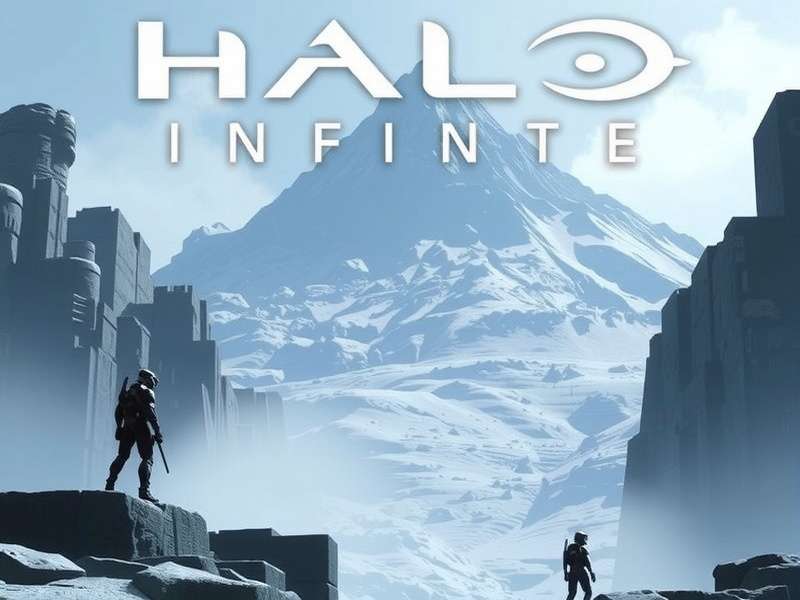
The Campaign is a separate purchase or included with Xbox Game Pass for PC. It features a sprawling open-world on Zeta Halo. For a detailed look at the gameplay, read our halo infinite campaign gameplay analysis.
Want to team up? Learn how to play halo infinite campaign co op with our step-by-step guide.
And for those seeking the ultimate challenge, achieving the halo infinite legendary ending is a true badge of honor.
🔍 Post-Download: Stats, Artifacts & Community
Once you're in the game, tracking your progress is key. Learn how to check halo infinite stats to monitor your K/D, win rate, and more.
Exploring the world? Collect all halo infinite forerunner artifacts to uncover deep lore and unlock achievements.
Stay connected with the community via halo waypoint and keep up with the latest halo news.
"The PC version of Halo Infinite is a landmark release, offering unparalleled customization and performance. It's the definitive way to experience the Halo universe." – Alex, Veteran Spartan
❓ Frequently Asked Questions (FAQ)
Is Halo Infinite free on PC?
Yes, the Multiplayer component is free-to-play. The Campaign requires a purchase or Xbox Game Pass subscription.
Can I transfer progress between platforms?
Yes, progress is tied to your Xbox Live account and syncs across PC and Xbox consoles.
Why is my download slow?
Ensure no bandwidth limits are set in your launcher (Steam/Xbox App). Try switching download regions if issues persist.
💬 Community Comments
Great guide! The performance tweaks section boosted my FPS by 30%. Can't wait for the next campaign DLC.
Thanks for the detailed download steps. Worked perfectly on my Steam Deck (Windows installed).
Leave Your Comment & Rating